How to Fix L2TP Connection Issues in NetworkManager (specifically with go-l2tp or kl2tpd)
You can use xl2tpd instead of go-l2tp if it causes connection issues
When L2TP Fails on Debian-Based Systems (Ubuntu, etc.)
I attempted to establish an L2TP VPN connection, which works perfectly on other systems (Android, iOS, Windows, and multiple older Debian systems). However, at some point, I found that it no longer worked on my new Debian system.
After some investigation, this is what I discovered.
My System Configuration:
network-manager-l2tp– L2TP NetworkManager
network-manager-l2tp uses Strongswan as the VPN backend and either go-l2tp or xl2tpd for the L2TP backend.
Based on my experience, go-l2tp does not seem to work reliably with some VPN routers.
 L2TP Connection failure with
 go-l2tp which uses kl2tpd as a backend
go-l2tprelies onkl2tpdas its L2TP binary, which fails to connect to certain VPN routers.
I’m not sure whether this issue is caused by go-l2tp itself or by the VPN router’s implementation.
Luckily, switching to an alternative backend, xl2tpd, allowed the connection to work seamlessly.
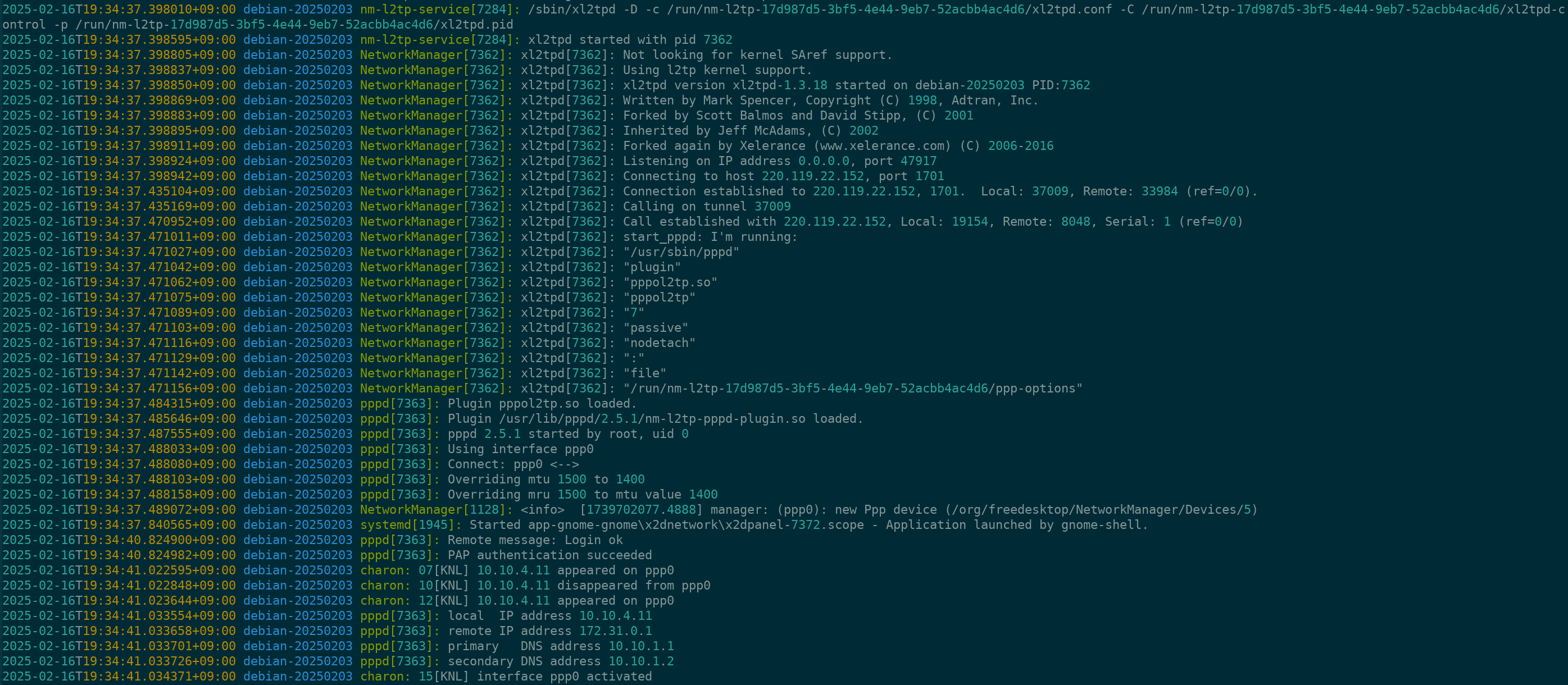 L2TP Connection success with
 xl2tpd
Switching to xl2tpd Instead of go-l2tp
By default, when installing network-manager-l2tp, go-l2tp is installed first.
An alternative package, xl2tpd, is available in the dependency tree.
To switch to xl2tpd, install it and remove go-l2tp:
1
2
sudo apt install xl2tpd             # Install xl2tpd
sudo apt remove --purge go-l2tp     # Remove go-l2tp
You can find the full dependency list in the network-manager-l2tp Debian package: